

Collaboration in remote teams can often present challenges, but with the integration of ChatGPT, you can streamline communication and enhance productivity. This advanced AI tool empowers your team by providing quick access to information, supporting brainstorming sessions, and generating creative solutions to problems. By utilizing ChatGPT, you create an environment where ideas flow freely and team members feel connected and engaged, regardless of their physical locations. Discover how leveraging this innovative technology can lead to enhanced teamwork and efficient workflows in your remote workspace.

Key Takeaways:
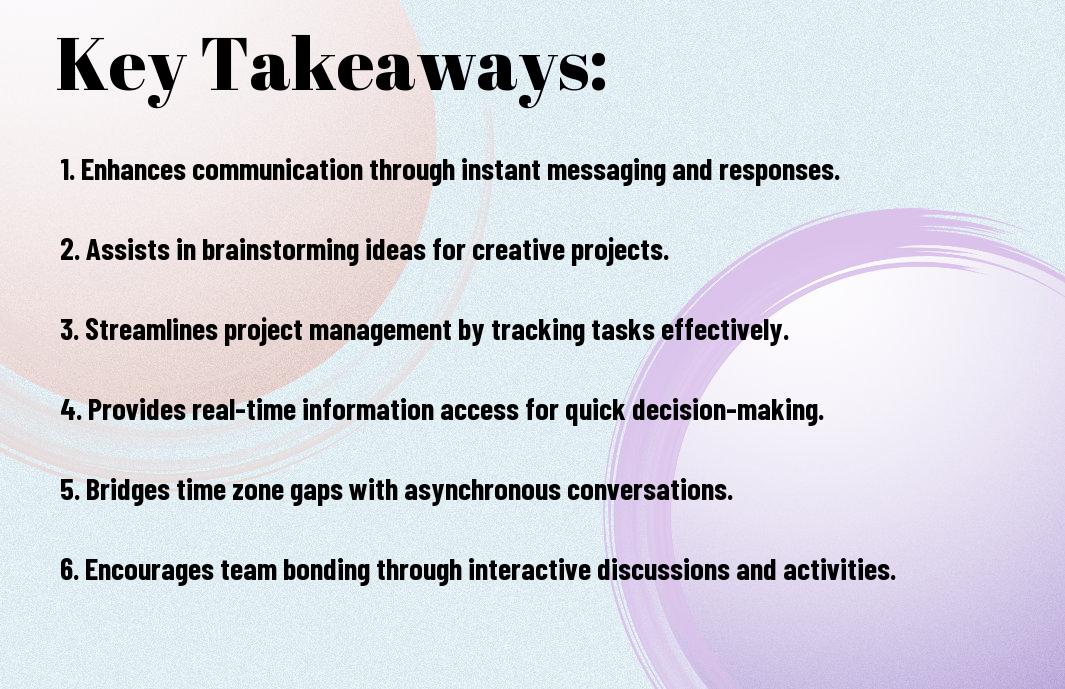
- Instant Communication: ChatGPT enables rapid interactions, allowing team members to exchange ideas and information without delays, enhancing overall productivity.
- Knowledge Sharing: By providing quick access to information and resources, ChatGPT supports team members in sharing expertise and insights, helping to streamline workflows.
- Task Management: ChatGPT can assist in organizing tasks, setting reminders, and maintaining deadlines, ensuring everyone is aligned and accountable.
- Language Support: Multilingual capabilities of ChatGPT facilitate communication among diverse teams, ensuring clear understanding across language barriers.
- Feedback and Ideation: The AI can generate ideas and suggestions, making it easier for teams to brainstorm and receive constructive feedback in real-time.
Understanding ChatGPT
Definition and Overview of ChatGPT
Below is a brief introduction to ChatGPT, a powerful conversational AI model developed by OpenAI. This tool is designed to generate human-like text based on the input you provide. By analyzing and predicting the next words in a sequence, ChatGPT can craft responses that are relevant and contextually appropriate, making it an invaluable asset for remote teams seeking effective communication methods.
Its versatility allows it to assist with a range of tasks, from generating ideas to drafting messages or documents. With ChatGPT, you can enhance your workflow and facilitate collaboration among team members, regardless of their physical locations. This technology ultimately bridges the gap between teams, creating a more cohesive working environment.
The Technology Behind ChatGPT
Among the key components that make ChatGPT so effective is its foundation in deep learning and neural network architectures, specifically the Transformer model. This innovative approach allows the AI to understand and generate language in a way that mimics human conversation. By learning from vast amounts of text data, ChatGPT can identify patterns and meanings, which it applies to produce coherent and contextually aware responses.
Hence, the architecture of ChatGPT is designed to continuously improve through fine-tuning and reinforcement learning. This model has undergone extensive training on diverse datasets, enabling it to grasp a wide range of topics and dialogue styles. The combination of these techniques ensures that the AI remains flexible and responsive to your needs.
The Role of Natural Language Processing
Natural language processing (NLP) plays a pivotal role in how ChatGPT engages with users. This subset of artificial intelligence focuses on the interaction between computers and humans through natural language. By utilizing NLP techniques, ChatGPT can parse your input, understand its meaning, and generate relevant responses that align with your communication goals.
It’s crucial to appreciate how NLP enriches your experience with ChatGPT. The NLP capabilities allow for smooth, intuitive exchanges, making it easier for you to communicate your ideas and questions effectively. Through these algorithms, ChatGPT can recognize nuances in conversation and respond in ways that feel more human and engaging.
Technology enhances the power of NLP by enabling the AI to analyze context and emotional tone. By interpreting your sentiments through language cues, ChatGPT can modify its responses to better suit your needs, whether it is a formal query or a casual discussion. This ability to adapt makes communication fluid and valuable in any collaborative setting.
The Necessity of Seamless Collaboration in Remote Teams
Any modern organization that embraces a remote work environment must prioritize seamless collaboration among its team members. The shift to remote work has transformed the way we operate, making effective collaboration not just important, but crucial for success. With team members scattered across different locations, maintaining a cohesive workflow becomes a challenge that you must actively address. The tools and technologies available today can help bridge the gaps, but their integration into your daily tasks requires a commitment to seamless communication and collaboration.
The Evolution of Remote Work
Among the most significant changes in the workplace in recent years is the evolution of remote work. Once considered a perk reserved for a select few, remote work has now become a permanent fixture in many industries. Advances in technology, especially during the pandemic, have redefined how teams function. You will find that innovative tools and platforms have emerged, allowing you to connect, share ideas, and collaborate irrespective of geographical connotations.
As remote work continues to evolve, so too does the landscape of teamwork and collaboration. You are now part of a workforce that is more connected than ever, but this comes with its own set of expectations. The ability to work flexibly doesn’t diminish your need for the same level of teamwork and cooperation traditionally found in an office setting. The success of remote teams hinges on your ability to adapt and embrace new ways of collaborating.
Challenges Faced by Remote Teams
Work in remote teams often presents a unique set of challenges that can hinder productivity and morale. You might encounter issues like lack of face-to-face interaction, which can lead to misunderstandings and feelings of isolation among team members. Furthermore, time zone differences can complicate scheduling and delay important discussions, creating gaps that can affect project timelines.
Moreover, effective collaboration relies heavily on technology, and any technical difficulties can derail progress. When team members struggle with connectivity issues or inadequately integrated tools, it affects everyone involved. You may notice that clear expectations and responsibilities can also suffer without clear communication channels, leading to frustration and decreased efficiency.
Hence, it’s crucial to acknowledge these challenges in order to proactively seek solutions. By understanding the potential pitfalls linked to remote collaboration, you can develop strategies to facilitate better communication and project management within your teams.
Importance of Effective Communication
Below the surface of effective collaboration lies the cornerstone of any successful remote team: communication. You might find that the effectiveness of your collaboration directly correlates with how openly and frequently you communicate with your coworkers. Clear, concise communication channels help in setting expectations and promoting transparency, which are vital for maintaining trust and productivity.
Furthermore, good communication can lead to better engagement among team members, allowing for the free flow of ideas and feedback. By prioritizing open dialogue, you’re fostering an environment where all team members feel valued and motivated to contribute, regardless of their location.
Remote teams that focus on effective communication can ultimately see heightened performance and morale. The ability for you to articulate ideas clearly and encourage dialogues enhances teamwork, leading to more innovative solutions and a better workplace culture.
Key Features of ChatGPT That Enhance Collaboration
Once again, the power of ChatGPT lies in its diverse set of features specifically designed to improve collaboration in remote teams. This tool not only boosts productivity but also fosters a sense of community among team members, even in a virtual workspace. Here’s a detailed list of key features that stand out:
- Real-Time Communication
- Instant Feedback
- Accessibility
- Integration with Existing Tools
- Customizable Interaction Modes
- Language Support
Recognizing the need for effective communication in remote work environments, ChatGPT effectively bridges the gap between physical distances, making it an invaluable asset for your team. By utilizing its features, you can experience a seamless workflow and improved collaboration.
Real-Time Communication and Feedback
With real-time communication capabilities, ChatGPT allows your team to engage in discussions instantly. This feature is vital when decisions need to be made quickly or when you want to foster an open line of communication among team members. Immediate access to information means that you can ask questions and receive answers promptly, thereby reducing the time spent in back-and-forth exchanges and enhancing productivity.
Furthermore, the instant feedback function helps create a more dynamic interaction environment. When you share a project or brainstorm ideas, receiving real-time feedback can push the project forward more rapidly. This feature not only aids in refining ideas but also encourages participation, as team members can collectively brainstorm more effectively when they know their input will be acknowledged right away.
Accessibility and Integration with Existing Tools
Integration with existing tools is another powerful feature of ChatGPT that enhances your team’s collaboration. This tool can easily mesh with applications that your team already uses, such as project management software and communication platforms. By centralizing your work processes, ChatGPT fosters a smoother workflow and eliminates the need to switch between various tools, thereby keeping your focus intact.
Plus, the accessibility offered by ChatGPT means you and your team can connect and collaborate from virtually anywhere. Whether you are working from home, a coffee shop, or a co-working space, ChatGPT provides a consistent platform that helps keep your discussions and resources handy. This accessibility removes barriers to communication and ensures that you can always engage with your team, regardless of location.
Customizable Interaction Modes
Above all, the customizable interaction modes in ChatGPT allow you to design how you want to communicate with your team. You can tailor your engagement style depending on the specific needs of your project or team dynamics, whether you prefer a more formal approach or a casual conversation. This flexibility ensures you can adapt the communication method to fit the subject matter or the audience for maximum clarity and understanding.
Feedback plays a vital role in fostering effective teamwork. The ability to customize how you interact allows you to experiment and find the most productive formats for your team, whether that’s through structured sessions or informal chats. By leveraging this feature, you can help cultivate a collaborative environment tailored to the unique needs of your team.
ChatGPT as a Knowledge Management Tool
To enhance collaboration within remote teams, you can leverage ChatGPT as a powerful knowledge management tool. This AI-driven platform not only supports effective communication but also facilitates the organization’s data by storing, retrieving, and utilizing information efficiently. By employing ChatGPT, your team can overcome the challenges associated with information silos, making it simpler for members to access the knowledge they need to perform their tasks effectively.
Information Retrieval and Documentation
Information retrieval is a vital component of effective knowledge management. With ChatGPT, you can quickly locate important documents, past discussions, and subject matter expertise that might otherwise be buried within extensive communication threads or shared drives. ChatGPT allows you to ask specific questions, enabling you to save time and focus on your immediate tasks. This streamlined process leads to healthier workflows and increased productivity within your team.
Furthermore, documentation becomes more manageable with ChatGPT’s ability to generate summaries and provide concise explanations of complex topics. You can easily convert lengthy discussions into organized documentation, ensuring that your team has access to the important information at their fingertips. This efficiency not only strengthens your team’s capabilities but also creates a shared understanding that is vital for successful remote collaboration.
Centralized Knowledge Base Creation
Before implementing ChatGPT as a knowledge management tool, it’s beneficial to establish a centralized knowledge base that aggregates information from various sources. This knowledge base serves as a repository for critical insights, resources, and documentation that your team regularly utilizes. By consolidating this information, you create an accessible platform where all members can contribute their knowledge and learn from each other, fostering a culture of collaboration.
Centralized knowledge bases also ensure that your team’s collective intelligence is not lost over time. With ChatGPT facilitating updates and notifications, you can keep the knowledge base current with the latest information. This not only helps new members get up to speed quickly but also empowers seasoned members to share their expertise and insights, enriching the knowledge pool and driving innovation within your team.
Enhancing Learning and Development in Teams
Between the changing demands of remote work and the need for continuous learning, ChatGPT can play a significant role in enhancing learning and development among your team members. By providing instant access to relevant resources, tutorials, and industry news, ChatGPT fosters an environment where learning becomes part of the daily workflow. This continuous access encourages employees to seek knowledge proactively, which ultimately strengthens the capabilities of the entire team.
Tool-driven learning experiences empower individuals to pursue growth at their own pace. ChatGPT can recommend personalized learning paths, resources, and modules based on your team’s unique needs and interests, grooming each member’s skills to align with organizational goals. This flexibility in accessing developmental resources fosters a culture of innovation and growth, making your team more adaptive to new challenges and opportunities.
Fostering Team Engagement and Morale
All remote teams face challenges when it comes to maintaining engagement and morale. However, incorporating strategies that encourage active participation can significantly enhance the overall team spirit. Leveraging tools like ChatGPT can streamline communication and foster an inclusive atmosphere that makes everyone feel valued and connected.
Virtual Team-building Activities
Beside regular meetings, organizing virtual team-building activities can break the monotony and facilitate personal connections among your team members. Activities such as online trivia games, escape rooms, or collaborative art projects can create shared experiences that help in fostering interpersonal relationships. This fun engagement encourages employees to unwind and allows them to bond over non-work-related topics.
Moreover, utilizing ChatGPT to plan these events can save you time and provide creative ideas tailored to your team’s preferences. You can even harness its suggestions to schedule these activities at times that work best for everyone, ensuring maximum participation and a sense of community.
Maintaining Human Connection Through AI
Above all, maintaining human connections is vital in a remote setup. While AI tools like ChatGPT facilitate communication, integrating them in a way that prioritizes personal interactions can make a significant difference. Encourage your team members to share personal updates or celebrate milestones within the AI-assisted environment to foster a sense of belonging. Engaging in casual conversations through chat threads, even if they are AI-facilitated, can significantly boost the overall morale.
Due to the ever-evolving dynamics of remote work, the need for authentic connections remains paramount. Utilizing AI-driven platforms can help you share updates, provide feedback, or even celebrate achievements seamlessly while still promoting a human touch within your team interactions.
Encouraging Creativity Among Team Members
Across remote settings, creativity can sometimes take a backseat when it’s not actively fostered. You can leverage AI like ChatGPT to run brainstorming sessions that push the boundaries of idea generation. By using AI as a creative partner, it can provide perspectives that can inspire your team to think outside the box, leading to innovative solutions. Additionally, encouraging the sharing of diverse ideas, no matter how unusual they may seem, helps create an open atmosphere.
Connection among teammates amplifies when you actively encourage creative exchanges. Providing a safe space for creativity not only boosts morale but also enhances problem-solving capabilities. Incorporating prompts or challenges generated by ChatGPT can enable your team to explore new angles and develop fresh strategies, thereby invigorating their engagement levels.
ChatGPT’s Role in Project Management
Not all project management tools are created equal, but with ChatGPT, you can enhance your team’s coordination remarkably. The ability to streamline communication and task management means that you can keep your remote team aligned and focused on shared goals. By leveraging artificial intelligence, ChatGPT can transform the way tasks are assigned and monitored, allowing you to manage your projects more efficiently.
Task Assignment and Progress Tracking
The task assignment process can often feel overwhelming, especially when you have multiple projects running simultaneously. ChatGPT can alleviate that burden by automating task assignments based on the skills, availability, and workload of your team members. This means you can spend less time managing and more time moving forward. Furthermore, through real-time updates and notifications on task progress, both you and your team can stay informed about each other’s contributions, leading to increased accountability and motivation.
By integrating ChatGPT into your project management toolkit, you make it easy for your team to keep track of milestones and deadlines. This visibility not only enhances collaboration but also prepares your team to address any potential roadblocks more proactively. With ChatGPT managing the flow of information, it allows you to focus on strategic decision-making rather than micromanagement.
Facilitating Agile Methodologies
One of the standout features of ChatGPT is its ability to facilitate agile methodologies effectively within your remote team. Agile frameworks thrive on adaptability and collaboration, and ChatGPT allows you to incorporate feedback quickly and efficiently. You can conduct sprint planning sessions, retrospectives, and daily stand-ups virtually, helping maintain transparency throughout the project lifespan.
Tracking project progress becomes a breeze as ChatGPT keeps all stakeholders in the loop, providing timely updates and summaries of ongoing tasks and completed work. This fosters a culture of continuous improvement, where you can adjust plans based on team feedback and evolving project requirements, enhancing productivity across the board.
Standardizing Workflows and Processes
Facilitating a standardized approach to workflows and processes is vital in remote work environments, and this is where ChatGPT excels. With its capabilities, you can create templates, guidelines, and best practices that your team can easily follow. This helps to ensure everyone is on the same page, reducing confusion and establishing consistency in how projects are executed.
This standardization not only boosts efficiency but also empowers your team members to perform their tasks with greater confidence. When your processes are clearly defined and communicated, your team can dedicate more time to innovation and problem-solving rather than navigating uncertainties in project management.
Enhancing Cross-Team Collaboration
Many organizations are discovering that effective cross-team collaboration is key to achieving their goals in today’s hybrid work environment. You may find that incorporating tools like ChatGPT not only facilitates communication but also enhances productivity and innovation within your remote teams. By leveraging AI, you can ensure that information flows smoothly between departments, helping to integrate diverse perspectives and expertise that are imperative to solving complex problems.
Breaking Down Silos with AI Communication
Along with the rise of remote work, communication silos can significantly hinder collaboration. You may feel that traditional communication methods are inadequate for bridging the distancing barriers inherent in remote environments. ChatGPT can serve as a dynamic communication assistant, bringing individuals from various departments together, facilitating dialogue, and ensuring that knowledge is shared in real time. This AI can answer questions, summarize discussions, and provide immediate access to resources, thus promoting an open flow of information across your teams.
Furthermore, having an AI-driven communication tool can foster a culture of transparency and inclusivity, as you can encourage team members to engage in discussion without the fear of miscommunication or misunderstandings. ChatGPT allows for quick clarification and follow-ups, enabling you to address challenges as they arise. It breaks down the traditional hierarchies that often exist in organizations, allowing every voice to be heard and valued.
Coordinating Efforts Across Multiple Disciplines
About the complexities involved in managing teams with diverse specialties, coordinating efforts can often feel overwhelming. You might experience difficulties in aligning objectives, timelines, and workloads, especially when each discipline has its unique methodologies and terminologies. ChatGPT can streamline this process, serving as both a planner and facilitator. By employing its capabilities, you can set clear goals that resonate across all teams while accommodating the specific needs and timelines of each discipline.
Down the line, this coordination is not just about maintaining schedules but also ensuring that everyone understands how their contributions fit into the bigger picture. With ChatGPT, you can automate updates and notifications among team members to ensure that everyone stays informed about progress, deadlines, and feedback loops. This level of connectivity enables you to respond to changes quickly and pivot strategies, which is vital for project success.
Creating a Unified Team Culture
Enhancing your team’s culture can play a critical role in how effectively they collaborate. When working remotely, you may find it challenging to create a shared sense of belonging. By utilizing ChatGPT, you can engage your team in discussions around shared values, celebrate milestones, and encourage social interactions, helping to establish a cohesive team atmosphere even from a distance.
It is imperative to actively cultivate an environment where each team member feels part of the larger mission. Regular team check-ins, facilitated by ChatGPT, can highlight achievements and promote engagement across various disciplines. These ongoing communications can be vital in reinforcing inclusive practices and ensuring that your remote teams feel connected, even when physically apart.

Language Translation and Global Teams
For remote teams working across different countries and cultures, effective communication can often be hindered by language differences. This is where ChatGPT’s multilingual capabilities become an invaluable asset. By facilitating seamless communication between diverse team members, you can focus on the task at hand rather than struggling with language barriers. This not only promotes inclusivity but also enhances productivity, as you can quickly share ideas and receive feedback regardless of your team’s linguistic backgrounds.
Overcoming Language Barriers
Before you implement any collaborative tool, it’s imperative to assess the diversity of languages spoken within your team. When team members speak different languages, the risk of misunderstandings may increase, impacting productivity and team cohesion. However, ChatGPT allows you to translate messages effortlessly, ensuring that every team member can contribute meaningfully. By delivering information in a language that everyone understands, you create an environment that values each member’s input and fosters a sense of belonging.
By effectively overcoming language barriers, you not only enhance communication but also build a more resilient remote team. With the ability to speak multiple languages, you can collect diverse insights that inform your projects, leading to more innovative solutions. This global perspective strengthens your team’s ability to tackle challenges and enhances your stand in the market.
Real-Time Translation Features
RealTime communication is imperative in any collaborative environment, especially when working with international teams. The ability to instantly translate discussions, whether in written form or through voice, allows you to engage in conversations without the delay of manual translation. ChatGPT’s real-time translation features ensure you stay connected with your team members, whether they are across town or across the globe.
Furthermore, this functionality enables you to host meetings, share ideas, and make decisions collaboratively, regardless of the languages spoken within your team. The immediacy of this feature promotes quick decision-making and keeps projects moving forward. It also ensures that no information is lost in translation, empowering you and your team to work as effectively as possible.
At the same time, having real-time translation capabilities at your fingertips allows you to focus more on content creation and less on language barriers, thus maximizing your team’s efficiency. This enhances overall performance and paves the way for creative collaborations that could lead to breakthrough innovations.
Cultural Sensitivity in Communication
Features of ChatGPT go beyond mere translation; they also promote cultural sensitivity in communication. Understanding the cultural nuances associated with different languages is key to ensuring that your messages are not just understood, but also respectfully received. When you engage with your international team, recognizing subtleties in phrasing and idioms can play a significant role in avoiding misunderstandings or unintentional offense.
Being culturally sensitive in your communication fosters a respectful atmosphere, encouraging open dialogue and creativity among team members. This is vital in a globalized work environment where team members come from various cultural backgrounds and perspectives. By ensuring your communication is tailored not only to the language spoken but also to the cultural context, you enhance collaboration and team bonding.
Translation isn’t simply about converting words from one language to another; it involves conveying meaning and intent in a way that respects cultural norms. ChatGPT’s features allow you to achieve this, ensuring that your communication is effective and considerate in diverse interactions.

Assessing the Impact of ChatGPT on Team Productivity
Keep in mind that evaluating the impact of ChatGPT on your team productivity involves understanding various metrics that clearly demonstrate performance improvements. By identifying specific key performance indicators (KPIs), you can effectively measure how ChatGPT contributes to enhanced collaboration. These metrics can include response time, task completion rates, and overall team engagement levels. Analyzing these metrics over specific time intervals will provide you with a clearer picture of how your team benefits from using ChatGPT in real-time discussions, documentations, and decision-making processes.
Metrics for Measuring Productivity Improvements
Productivity metrics are important tools in assessing how ChatGPT can facilitate collaborative efforts within your remote team. By focusing on aspects like the average time taken to resolve queries or the number of successful projects completed per quarter, you can quantify the effectiveness of ChatGPT. Additionally, you can track improvements in communication quality and the reduction of emails or messages exchanged, as these changes often reflect efficiency gains.
Case Studies of Successful Implementations
An examination of different organizations reveals how they harnessed ChatGPT to significantly boost their productivity levels. Here are some notable examples:
- Company A: Reduced project completion time by 30% and increased team satisfaction scores by 15%.
- Company B: Achieved a 25% rise in employee engagement, empowering teams to handle 40% more requests weekly.
- Company C: Improved decision-making speed by 20% while saving 3 hours of meeting time per week.
- Company D: Reported a 50% reduction in onboarding time for new employees, accelerating their integration into teams.
- Company E: Enhanced communication efficiency by reducing the number of messages exchanged by 35%.
At the heart of these outcomes is ChatGPT’s ability to streamline workflows, encouraging quick, effective collaboration. This not only optimizes existing processes but also frees up time for more innovative projects. By analyzing these successes, you can identify methods to replicate the positive outcomes in your own team.
Feedback Mechanisms for Continuous Improvement
Productivity enhancements can also be sustained through effective feedback mechanisms. Tools like surveys, performance reviews, and regular team meetings can help you gather insights directly from the team about their experiences and challenges with ChatGPT. By actively soliciting feedback, you create a culture of continuous improvement. You are empowered to adjust workflows or implement new features that can further enhance your team’s productivity.
Feedback is not just about understanding the successes but also addressing the areas needing enhancement. By consistently incorporating your team’s input, you foster a collaborative environment where everyone feels valued and motivated to contribute to productivity gains. Also, by leveraging this feedback to inform training and support initiatives, you can ensure that every team member utilizes ChatGPT to its full potential, reinforcing the tool’s role in driving productivity.
Ethical Considerations in AI-Assisted Collaboration
After integrating ChatGPT into your remote team dynamics, it’s imperative to address the ethical considerations that arise. While AI tools enhance collaboration, they also introduce challenges, particularly regarding privacy, transparency, and the balance of automation and human intervention. Your team must navigate these issues to ensure that the technology serves as a beneficial tool rather than a liability. Failure to do so could lead to mistrust and diminishing returns on your collaborative efforts.
Addressing Privacy Concerns
After embracing AI, one of the primary issues you may face is related to privacy. AI systems like ChatGPT can access and analyze large quantities of data, which raises legitimate concerns about how this information is stored and used. You must ensure that sensitive data shared during collaborations remains confidential and is handled in compliance with applicable privacy regulations. Building a robust data protection policy will help your team navigate these challenges.
Moreover, it is imperative to communicate with your team members about the data collection practices of the AI tool you’re using. By informing them about what information is being gathered and how it will be used, you can foster a culture of trust. Transparency in these processes can alleviate potential worries and create an environment where everyone feels secure in utilizing AI without compromising their privacy.
Ensuring Transparency in AI Assistance
With every advancement in AI, transparency becomes increasingly critical. AI systems like ChatGPT often operate on complex algorithms that can seem opaque to users. You should strive to demystify how these systems function, sharing insights into their capabilities and limitations. By doing so, you can empower your team members to utilize the tool more effectively and with confidence, while also setting realistic expectations regarding what AI can achieve.
It is imperative to provide ongoing training and resources to ensure that your team understands the AI’s capabilities. This education can include workshops or resources that explain how AI-generated outputs are created and how decisions like data retrieval occur. By enhancing your team’s knowledge of the AI tool, you can create a more collaborative environment where human intentions align with technological capabilities.
Balancing Automation with Human Oversight
Automation can significantly enhance productivity and streamline operations, but you should be cautious about relying too heavily on AI without sufficient human oversight. While ChatGPT can assist with tasks such as generating reports or managing communications, the human element is irreplaceable, especially when it comes to critical thinking, creativity, and emotional intelligence. You must ensure that human judgment complements AI assistance to create a balanced workflow.
Finding the right balance means recognizing when to leverage AI tools for efficiency and when to step in with human input. By heartening your team to ask critical questions and remain engaged, you can maintain a collaborative spirit that promotes quality outputs. Artificial intelligence should serve as a support system, leaving room for human nuances that are integral to nuanced collaborative efforts.
Considerations must also be given to training your team to recognize scenarios that require human intervention. By establishing clear guidelines on when to rely on AI versus when to utilize human expertise, you can maximize workflow while minimizing the risks associated with over-automation. This balanced approach will ensure that your team benefits from both AI’s capabilities and human insight.
Future Trends in AI and Remote Collaboration
Advances in AI Technology
Your experience in remote collaboration is poised to transform with the advancements in AI technology. Tools like ChatGPT are evolving to deliver more sophisticated features that promote seamless communication and task management across dispersed teams. As AI continues to integrate with other technologies, you can expect even greater efficiencies, from automated meeting summaries to intelligent scheduling, allowing you to focus more on productivity rather than logistics.
On the horizon, AI systems are expected to become increasingly intuitive, adapting to your unique workflow preferences and improving collaboration. This will lead to a more personalized user experience, aligning with your specific needs and enhancing team interactions. Ultimately, these enhancements will not only streamline processes but also promote a more cohesive team environment, significantly improving your remote working experience.
The Future of Team Dynamics
Behind every successful remote team is a solid understanding of team dynamics. As AI-assisted collaboration tools continue to evolve, they will facilitate stronger connections between team members, regardless of geographical distances. As you navigate this evolving landscape, it will become increasingly important to leverage technology that fosters effective communication and collaboration, bringing your team closer together.
Advances in AI will enable teams to work more harmoniously by providing tools that suggest collaborative tasks aligned with group strengths and areas for improvement. These tools can highlight individual contributions, promote recognition, and offer constructive feedback, nurturing a more inclusive environment. The essence of teamwork will shift toward a more collective intelligence approach, allowing you to draw on the diverse skill sets of your team.
Predicted Shifts in Remote Work Cultures
About the future of remote work, you will likely observe significant cultural shifts as organizations embrace advanced AI systems. The emergence of AI-driven technologies will redefine how teams interact and collaborate, prioritizing flexibility and adaptability in their workflows. Furthermore, as remote work becomes ingrained in corporate culture, you will notice a major focus on employee well-being and mental health as organizations leverage AI to monitor workloads and ensure balanced practices.
Remote work cultures will increasingly adopt AI not just as a tool for efficiency but as a means to foster a more connected workplace. This will enable a profound transformation, with AI analyzing team dynamics and suggesting strategies to improve collaboration. By recognizing the importance of social connection and mental well-being among remote teams, organizations will cultivate harmonious cultures that resonate on individual and collective levels.
Remote collaboration trends suggest that teams will become more reliant on AI tools that enhance communication and productivity. As digital landscapes continue to expand, being aware of these trends will empower you to engage more effectively with your remote coworkers, ensuring that your team not only meets objectives but thrives in its unique remote environment.
Integrating ChatGPT with Other Collaboration Tools
Now, as remote teams increasingly rely on collaboration software to function efficiently, integrating ChatGPT with popular tools can streamline not only communication but also productivity.
Overview of Popular Collaboration Software
Between the many options available, platforms such as Slack, Trello, Zoom, and Microsoft Teams provide a robust framework for remote collaboration. You can use these tools to discuss projects, track tasks, and hold virtual meetings, each playing a distinct role in fostering teamwork. Adding ChatGPT into the mix allows you to have instant access to information and support, enabling you to tackle problems or brainstorm ideas without skipping a beat.
By coupling ChatGPT with these platforms, you can enhance real-time collaboration, whether by generating meeting notes automatically, extracting insights from events, or even acting as a virtual assistant for scheduling. These integrated capabilities ultimately aim to minimize friction in your daily routine and maximize your team’s effectiveness.
API and Integration Challenges
Between the benefits of integration come challenges related to APIs and compatibility. Conflicting APIs or limitations in functionality can occasionally hinder the seamless flow of information between ChatGPT and your selected tools. You may also encounter occasional discrepancies in data syncing or issues with user authentication that require troubleshooting. While these challenges may seem daunting, overcoming them can dramatically enhance your collective productivity.
Another aspect to consider is the learning curve associated with implementing these integrations. If your team members are unfamiliar with either ChatGPT or the collaboration software being used, they may initially struggle to maximize the potential of integrated features. As a team leader, it’s wise to proactively provide training and resources to facilitate a smoother transition to this integrated work environment.
Creating a Seamless Work Environment
Below the surface of technological integration lies the opportunity to create a truly seamless work environment. This environment can help you eliminate communication breakdowns, allow for easy sharing of resources, and foster a collaborative spirit that boosts overall morale among remote team members. With ChatGPT operating alongside your primary collaboration tools, you gain a space where questions can be answered in real-time and ideas can flow freely.
Environment plays a pivotal role in fostering productivity, especially in remote settings. By ensuring that ChatGPT integrates smoothly with your existing tools, you cultivate a space conducive to continuous engagement and cooperative problem-solving. This setup not only enhances your team’s efficiency but also empowers you to focus on what truly matters: achieving your goals together.
Best Practices for Implementing ChatGPT in Remote Teams
Keep in mind that effective implementation of ChatGPT requires thoughtful planning and execution.
Developing a Clear Implementation Strategy
One of the first steps you should take is to establish a clear implementation strategy that outlines your goals, objectives, and desired outcomes when integrating ChatGPT into your remote team’s workflow. This strategy will serve as the foundation for how you approach the integration of this technology. You may want to incorporate feedback from team members regarding their expectations and preferences, ensuring that your strategy aligns with their needs and enhances collaboration.
Consider identifying specific use cases for ChatGPT in your team’s operations, such as assisting with project management, brainstorming sessions, or providing instant information on company policies. By tailoring the implementation to best serve your unique team dynamics, you’ll foster a more engaging and productive environment.
Training Team Members on Usage
One of the most effective ways to ensure that ChatGPT becomes a valuable tool in your remote team’s communication arsenal is through comprehensive training. This training will equip your team members with the knowledge they need to leverage ChatGPT effectively, helping to minimize any potential misunderstandings or misuse of the tool. You can organize workshops or create informational resources that walk through key features and functionalities, demonstrating the capabilities of the AI.
Implementing training sessions tailored to your team’s specific needs fosters a greater sense of confidence among team members. Encourage open discussions during training to allow team members to share how they envision using ChatGPT. This can lead to innovative ideas on how the tool can enhance productivity and collaboration.
Monitoring Usage and Effectiveness
Monitoring the usage and effectiveness of ChatGPT is crucial to ensure that it continues to meet your team’s needs. Regularly assess how well the tool is being utilized and solicit feedback from your team members about their experiences. This will not only help you better understand the impact of ChatGPT on workflows, but it can also highlight any areas that may need adjustment or improvement.
By conducting periodic reviews, you can identify trends in usage and areas where the collaboration tool may be falling short. Utilizing data analytics to track engagement metrics can provide you with insights on how ChatGPT supports team productivity and interaction. Effective monitoring can lead you to make proactive decisions that foster an environment of continuous improvement.
In addition, establishing a feedback loop where team members can easily report issues or suggest enhancements will help you refine the use of ChatGPT over time. This iterative process ensures that your team remains equipped with a tool that continues to evolve alongside your dynamic work environment.
Summing Up
Upon reflecting on how ChatGPT enhances collaboration in remote teams, you can appreciate its role as an invaluable tool for streamlining communication and fostering teamwork. By providing instant responses to queries, generating ideas, and offering contextual support, ChatGPT ensures that every member of your team can access the information they need without delay. This seamless exchange of knowledge can lead to more productive brainstorming sessions and efficient problem-solving discussions, ultimately enhancing your collective output.
Moreover, ChatGPT’s ability to adapt to your team’s unique needs means you can personalize interactions, allowing for a more engaged work environment. Whether you are drafting emails, summarizing discussions, or even managing project timelines, this AI tool can seamlessly integrate into your workflow. By embracing ChatGPT, you are not just simplifying tasks; you are strengthening the collaborative fabric of your remote team, ensuring that distance does not diminish your collective potential.
FAQ
Q: How does ChatGPT enhance communication within remote teams?
A: ChatGPT serves as a powerful communication tool for remote teams by providing instant support for inquiries and clarifications. It allows team members to ask questions and receive immediate, accurate responses, reducing the time spent searching for information or waiting for responses from colleagues. This rapid feedback loop helps in keeping everyone aligned on projects and tasks.
Q: Can ChatGPT assist in managing tasks and deadlines?
A: Yes, ChatGPT can help remote teams effectively manage tasks and deadlines. It can be configured to track project milestones, remind team members of upcoming deadlines, and provide suggestions for prioritizing tasks. By maintaining an organized overview of assignments, it helps ensure that the entire team stays on schedule and accountable for their responsibilities.
Q: In what ways does ChatGPT support brainstorming and idea generation?
A: ChatGPT is an excellent resource for brainstorming sessions, as it can generate a wide range of ideas based on prompts provided by team members. It can facilitate discussions by presenting alternative solutions, prompting creative thinking, and synthesizing previous discussions into coherent summaries. This capability allows teams to explore different perspectives and enhances the overall creative process.
Q: How does ChatGPT contribute to building team culture in a remote environment?
A: ChatGPT can play a role in fostering a positive team culture by engaging team members in casual interactions. For instance, it can host virtual team-building activities, share fun facts, or even initiate light-hearted conversations. By providing a platform for informal communication, it helps break down barriers and strengthen relationships among team members, enhancing the sense of community.
Q: Is ChatGPT able to facilitate training and onboarding for new team members?
A: Absolutely! ChatGPT can streamline the training and onboarding process for new team members by providing them with information about company policies, team structures, and project details. Its interactive nature allows new hires to ask questions in real-time, making the learning experience more engaging. Additionally, it can offer resources and best practices tailored to specific roles, helping new employees acclimate faster.
Comments