

Over the course of this tutorial, we will research into the intricacies of incorporating generative AI into your workflow. This cutting-edge technology has the power to revolutionize how we approach tasks, but it can also be daunting to implement. Follow these step-by-step instructions to seamlessly integrate generative AI into your daily operations, enhancing efficiency and productivity in ways you never thought possible.
Key Takeaways:
- Understand Generative AI: Generative AI involves training algorithms to generate new content by learning patterns from existing data.
- Implement Generative AI in Workflow: Start by defining the problem you want to solve, gather the necessary data, choose a generative AI model, train the model on the data, and finally integrate the generated content into your workflow.
- Consider Ethical Implications: Reflect on the ethical implications of using generative AI, such as bias in data and potential misuse of generated content, and take steps to mitigate these risks.
Preparing Your Workflow
Identifying Areas for AI Implementation
Your first task in implementing Generative AI into your workflow is to identify key areas where AI can make a significant impact. Look for tasks that involve repetitive or time-consuming processes that could benefit from automation. Consider areas where creativity or innovation is needed but often lacks efficiency due to human limitations. By pinpointing these areas, you can focus on implementing AI solutions that will yield the most significant benefits.
Assessing Current Tools and Processes
The next step is to assess your current tools and processes to determine where AI can seamlessly integrate. Take inventory of your existing technologies and workflows, identifying strengths and weaknesses that AI could enhance or streamline. It’s necessary to ensure that the AI solutions you choose can complement your existing systems and work harmoniously with your team’s workflow.
Plus, exploring different AI models and tools available in the market can give you a better understanding of what fits best for your specific needs. It’s crucial to choose AI solutions that are user-friendly and easily adaptable to ensure a smooth integration process.
Choosing the Right Generative AI Model
Overview of Popular Models (e.g. GPT-3, BERT)
It is necessary to understand the landscape of popular generative AI models before integrating them into your workflow. GPT-3 (Generative Pre-trained Transformer 3) and BERT (Bidirectional Encoder Representations from Transformers) are among the most widely recognized models in the field. GPT-3 is renowned for its ability to generate human-like text across a wide range of topics, while BERT excels in natural language understanding and text classification tasks. Each model has its strengths and weaknesses, so it’s crucial to evaluate which aligns best with your project goals.
Evaluating Model Capabilities and Limitations
Model evaluation is a critical step in selecting the right generative AI model for your workflow. It’s necessary to consider factors such as the model’s training data, performance metrics, computational requirements, and ethical implications. Understanding the limitations of each model can help you anticipate potential challenges and make informed decisions about which model is most suitable for your specific use case.
Right model selection involves assessing the strengths and weaknesses of each generative AI model against your project requirements. For example, if your goal is to generate coherent and contextually relevant text, a model like GPT-3 might be more suitable. On the other hand, if your focus is on fine-tuning a model for a specific task or domain, BERT could be the better choice. By carefully evaluating these factors, you can ensure that the model you select aligns with your workflow objectives.
Selecting the Best Model for Your Workflow
One of the key considerations in selecting the best generative AI model for your workflow is to consider your specific use case and performance requirements. Some models may excel in generating creative content, while others may be better suited for data analysis or language translation tasks. By defining your project goals and evaluating which model best meets those criteria, you can streamline the integration process and optimize the performance of your AI-powered workflows.
The selection of the best model for your workflow is a crucial decision that can impact the effectiveness and efficiency of your AI applications. Take the time to analyze the capabilities of each model in relation to your project requirements, and consider factors such as scalability, interpretability, and ongoing support. By choosing the right generative AI model, you can unlock new possibilities for innovation and productivity within your organization.

Setting Up Your AI Environment
Not How to Implement Generative AI Solutions in Your Workflow can be a daunting task, but with the right setup, you can streamline the process and ensure a smooth implementation. To get started, you’ll need to install the necessary software and libraries, configure your hardware and infrastructure, and ensure data security and compliance.
Installing Required Software and Libraries
Libraries are necessary for running generative AI algorithms effectively. Popular libraries like TensorFlow, PyTorch, and Keras provide the tools and frameworks needed to develop and deploy AI models. Install these libraries along with any specific dependencies required for your project. Make sure to keep them updated to take advantage of the latest features and improvements.
Configuring Hardware and Infrastructure
Your AI environment’s performance depends on the hardware and infrastructure you use. Ensure that you have sufficient computing power, memory, and storage to handle the computational demands of generative AI tasks. Consider using GPUs or TPUs for accelerated processing if necessary. Additionally, set up a reliable network connection to access data and resources efficiently.
When configuring hardware and infrastructure, pay attention to scalability and flexibility. Your setup should be able to handle increased workloads as your AI projects grow. Cloud services like AWS, Google Cloud, or Azure can provide scalable solutions for managing resources based on your current needs.
Ensuring Data Security and Compliance
With AI implementation, data security and compliance are paramount. Ensure that your AI environment follows best practices to protect sensitive data and comply with regulations like GDPR or HIPAA. Implement encryption, access controls, and monitoring mechanisms to safeguard data privacy and integrity.
Environment
Creating a secure and compliant AI environment is crucial for the success of your generative AI projects. By prioritizing data security and compliance, you can mitigate risks and build trust with users and stakeholders. Regularly audit and update your environment to address any vulnerabilities and stay ahead of potential threats.
Integrating AI into Your Workflow
Unlike traditional software tools, implementing generative AI into your workflow involves a different approach. One key aspect is integrating the AI model into your existing systems seamlessly. This can often be achieved through API integration and data feeds, which allow your AI model to interact with your datasets in real-time.
API Integration and Data Feeds
Into your workflow. API integration enables your AI model to access external data sources, making it more robust and versatile. By setting up data feeds, you can ensure that your AI stays up-to-date with the latest information, improving the accuracy of its generative output.
Automating Tasks and Processes
Automating tasks and processes through AI can streamline your workflow, making it more efficient and productive. By utilizing AI to handle repetitive and time-consuming tasks, you can free up valuable time for your team to focus on more strategic activities.
Another benefit of automating tasks and processes with AI is the potential for cost savings. By reducing the need for manual labor in certain areas, you can optimize resources and allocate them where they are most needed within your organization.
Human-AI Collaboration Strategies
Collaboration with AI in your workflow requires a strategic approach to ensure successful integration. By defining clear roles and responsibilities for both humans and AI, you can leverage the strengths of each to enhance overall productivity and creativity.
A strong human-AI collaboration strategy involves regular communication and feedback loops to continuously improve the AI model’s performance and adapt to changing business needs. By fostering a collaborative environment, you can harness the full potential of generative AI in your workflow.
Training and Fine-Tuning Your AI Model
Your A step by step guide to create a Generative AI Application should progress smoothly into the training and fine-tuning phase. This critical stage involves preparing your training data and datasets, model training and hyperparameter tuning, and evaluating your model’s performance and bias to ensure optimal results.
Preparing Training Data and Datasets
Model training begins with the quality of your training data. It is imperative to ensure that your datasets are diverse, comprehensive, and accurately labeled to facilitate the learning process of your AI model. The success of your AI application heavily relies on the quality and relevance of the data it is trained on, so invest time in curating a robust dataset.
Model Training and Hyperparameter Tuning
Tuning the parameters of your AI model is a crucial step in enhancing its performance. Hyperparameter tuning involves adjusting settings such as learning rate, batch size, and network architecture to optimize the model’s efficiency. For instance, experimenting with different hyperparameters can fine-tune your model’s predictive capabilities and overall accuracy, resulting in more reliable outcomes.
Evaluating Model Performance and Bias
Your training doesn’t end with model development; evaluating its performance and bias is equally imperative. It is crucial to conduct thorough testing on diverse datasets to assess the model’s accuracy, generalization capabilities, and potential biases. By scrutinizing the model’s output and identifying any biases, you can make necessary adjustments to enhance fairness and reliability in its predictions.

Overcoming Common Challenges
Addressing Data Quality Issues
One of the most critical challenges when implementing generative AI in your workflow is ensuring high data quality. Data quality issues can lead to inaccurate, biased, or misleading results. To address this, start by thoroughly cleaning and pre-processing your data before training your model. Remove any noisy or irrelevant data points, correct errors, and normalize the data to ensure consistency.
Mitigating Bias and Ethical Concerns
With generative AI, bias and ethical concerns can arise from the data used to train the model, as well as the way the model generates outputs. It’s important to regularly audit your data for biases and implement measures to mitigate them. Ensure diverse representation in your training data and incorporate ethics reviews into your development process to address potential biases before deploying the model.
It’s crucial to remember that generative AI models are not inherently unbiased and can amplify existing biases present in the training data. Being proactive in identifying and addressing these biases is key to ensuring the responsible use of generative AI in your workflow.
Troubleshooting Model Errors and Failures
Addressing model errors and failures is an inevitable part of working with generative AI. Issues may arise due to insufficient training data, complex model architectures, or hyperparameter tuning. When encountering errors, thoroughly investigate the root cause and adjust your approach accordingly. Regular monitoring and evaluation of your model’s performance can help identify and address errors in a timely manner.
It’s important to note that model errors and failures are opportunities for learning and improvement. By iteratively fine-tuning your model and incorporating feedback into your training process, you can enhance the performance and reliability of your generative AI workflow.
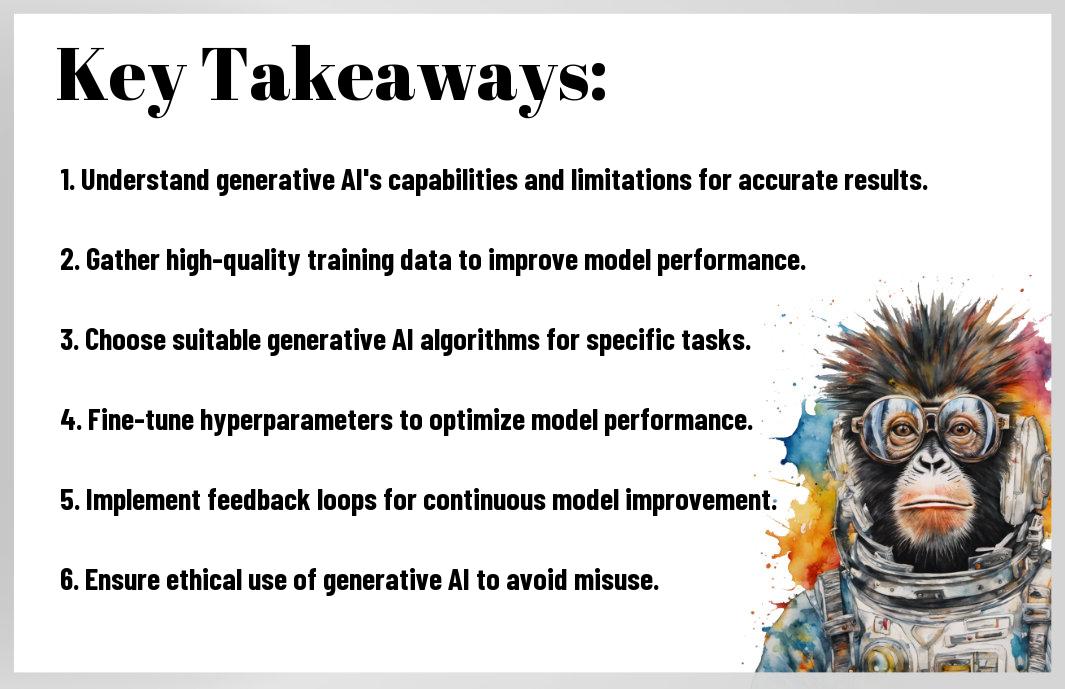
Conclusion
The implementation of generative AI in your workflow can revolutionize the way you create and innovate. By following these step-by-step instructions, you can harness the power of AI to generate unique and creative content in various fields like art, music, and design. Embracing generative AI technology can inspire new ideas, streamline your creative processes, and push the boundaries of what you thought was possible.
The potential of generative AI is limitless, and with practice and experimentation, you can unlock its full potential to enhance your workflow. By understanding the fundamentals of generative AI, exploring different tools and platforms, and integrating AI-generated content into your projects, you can stay ahead of the curve and drive innovation in your work. Embrace the future of creativity with generative AI and watch your ideas come to life in ways you never imagined.
FAQ
Q: What is Generative AI?
A: Generative AI is a branch of artificial intelligence that involves the use of machine learning models to create new data based on the patterns of existing data. It can generate images, text, music, and more.
Q: How can Generative AI be implemented in a workflow?
A: To implement Generative AI in your workflow, you first need to select a suitable generative model based on your needs, such as GANs (Generative Adversarial Networks) or VAEs (Variational Autoencoders). Then, you need to train the model on your dataset and fine-tune it to generate the desired outputs.
Q: What are some applications of Generative AI in different industries?
A: Generative AI has a wide range of applications across various industries. In art and design, it can be used to create unique visual assets. In healthcare, it can help in generating synthetic data for research. In entertainment, it can be used to create personalized content for users. The possibilities are endless!
Comments